“Show NIFTY 15-minute candles for the last week.”
Your AI reads the candles and can describe the swings, the range and how the week moved.
Arth MCP · Research only
Arth MCP connects the AI app you already use, such as Claude or ChatGPT, to Arth.live: candles, quotes, scanners and backtests of your own rules, from the same engine the chart uses. It reads and calculates. It places no orders and gives no buy or sell advice.
Last updated 14 November 2026.
01 / What your AI can do
Each example is a question you type in your own AI app, and what happens behind it.
Your AI reads the candles and can describe the swings, the range and how the week moved.
Your AI searches for the symbol, then reads its quote: last price, change, open, high, low, close, volume and circuit limits.
Your AI runs a market scanner, such as top gainers, volume shock or RSI below 30, and lists the matches. A match is a fact about the data, not a pick.
Your AI writes your idea as rules and backtests them with the chart’s own rule engine. You get the trades and the results on past candles.
Your AI reads the option chain, with strikes, last prices, open interest, IV and delta, and can explain what each column means.
Your AI searches the help pages and answers with the steps and the page link.
02 / Connect
In Claude, ChatGPT or another MCP app, add a custom connector (or MCP server) and paste the server address below.
Your AI app opens the sign-in page. Use the same account you use on Arth.live; it is your QuantPower account.
The sign-in page lists each permission before you approve. Approve once; no key to copy around.
Ask in your own words. Your AI calls the tools it needs and answers there, on your own AI plan.
Access lasts up to a year and can be removed at once from Connect AI in the QuantPower app.
Server address: https://api.quantpower.tech/mcp
03 / Works with
Add it as a custom connector in Claude on the web, desktop or phone.
Add it as a connector in ChatGPT where your plan supports MCP connectors.
Any AI app or agent that supports the Model Context Protocol, including coding assistants, can connect with the same address.
04 / Tools
The tools your AI uses for chart research. Each one reads or calculates; none of them changes your account.
Finds stocks, futures and options by symbol or company name.
Last price, change, open, high, low, close, volume and circuit limits for one instrument.
Open, high, low, close and volume candles for one instrument and time frame.
Index values with their source and time.
Which markets are open now, today’s hours and upcoming holidays.
Strikes, last prices, open interest, IV and delta for an index or stock.
Runs a market scanner (top gainers, volume shock, RSI below 30 and others) and lists the matches.
Backtests your own rules on up to 2,000 past candles with the chart’s rule engine: the same indicators, candle patterns and chart formations the chart draws.
Checks the option legs and sizes you give it. Calculation only.
Answers “how do I…” questions from the help pages, with the page link.
05 / Build, then test
Tell your AI what has to happen on the chart, in plain words: an indicator crossing a level, a candle pattern, a chart formation.
Your AI writes the idea as conditions you can read and change before anything runs.
backtest_rules runs the rules with the same code the chart draws with, so a rule behaves the same on the chart and in the backtest. A backtest shows how rules would have behaved on past candles; it is not a forecast, and nothing is saved or placed.
On the Arth.live chart itself: build your idea with Arth AI, then log in and backtest it.
06 / Permissions
Arth MCP is the same server as QuantPower’s Connect AI, so the sign-in page offers the same permissions. For research on Arth.live, market data is all you need.
Search, quotes, candles, indices, market hours, scanners, help pages and backtests of your own rules. This is what research needs.
Strikes, prices, open interest, IV and delta.
Holdings, positions, funds, watchlists, alerts and today’s orders, read only, if you tick these permissions. Leave them unticked for chart research.
Starts unticked, and is offered only where it is switched on. Even then your AI only prepares an order card. The card waits for you to confirm it in the QuantPower app with a tap and your second factor. AI prepares. You confirm.
07 / Research only
No tool places, changes or cancels an order. Your AI cannot confirm its own card or switch anything on.
Asked which strategy is profitable, the answer is the same as Arth AI’s: this is software and does not provide advisory services. It helps you make your trading systematic and rule-based instead.
Your broker login and keys never go to your AI app. It sees only what the tools return, and only for your own account.
08 / No AI app?
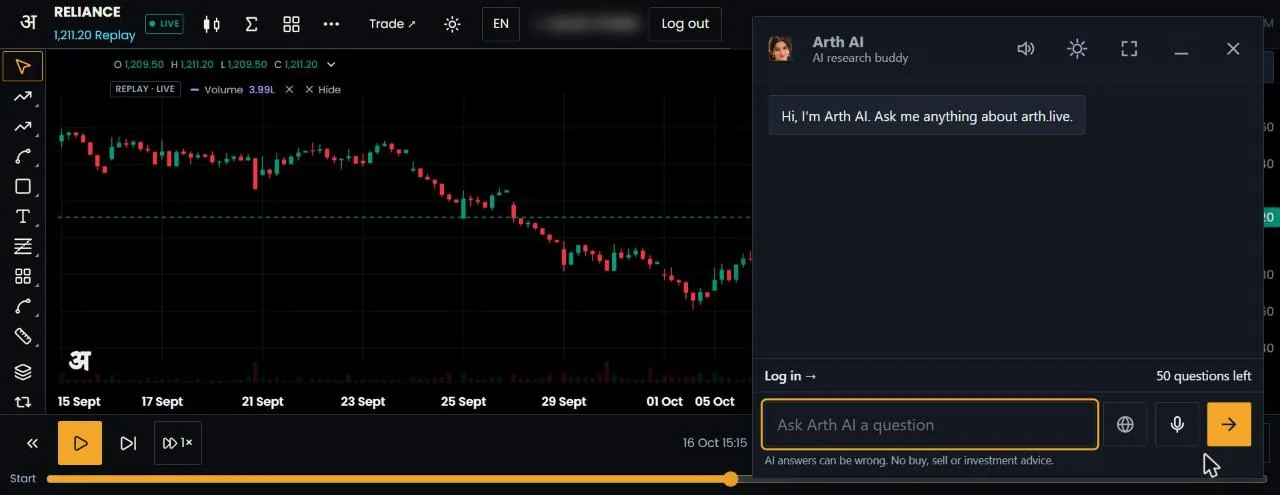
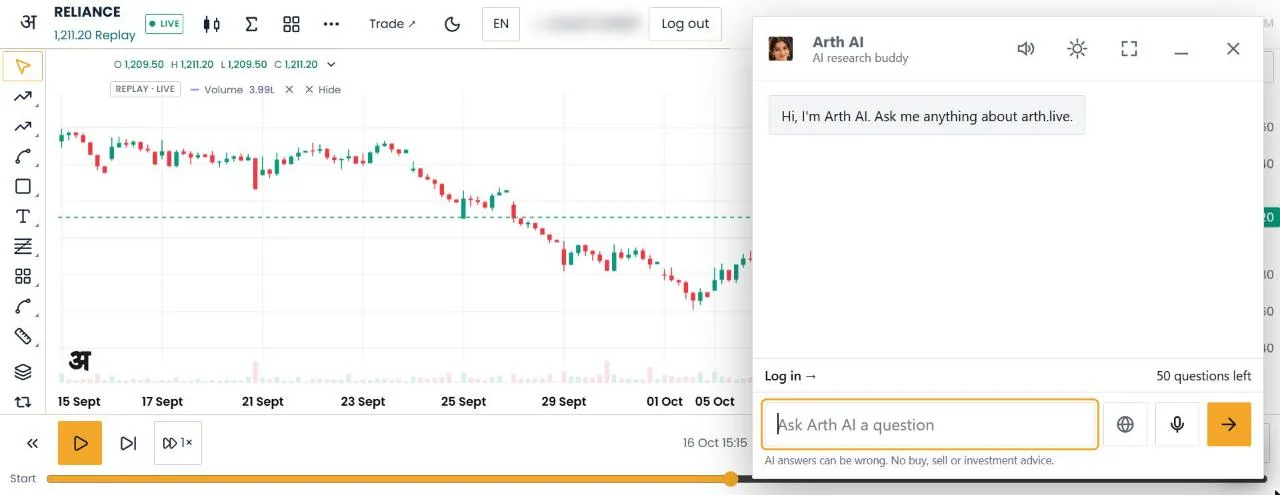
If you do not use another AI app, Arth AI sits beside the Arth.live chart and answers in 25 languages, by text or voice. Its panel can also prepare a research brief to paste into the AI app you use.
09 / Questions
The Model Context Protocol is an open standard that lets an AI app use outside tools. Arth MCP is the name for connecting your AI app to Arth.live’s tools, so it can read market data and backtest your own rules.
Arth AI is built into the Arth.live chart, beside your candles, in 25 languages. Arth MCP is for when you prefer the AI app you already use: you chat there, on your own AI plan, and the data and backtests come from Arth.live.
Claude and ChatGPT add it as a custom connector, where your plan allows connectors. Any other AI app or agent that supports the Model Context Protocol can connect too.
Connecting and reading data are free. Your chats run on your own AI app’s plan. Arth.live itself is free for everyone.
From your own broker connection, the same as live prices on the chart. Your AI app does not get your broker login.
No. Arth MCP places no orders and gives no buy or sell advice. The one write permission, preparing an order, starts unticked; a prepared card waits for you to confirm it in the QuantPower app.
No. Arth.live is software, not a SEBI-registered research analyst or adviser, and does not provide advisory services, so it cannot recommend a strategy or a trade. It can show popular open strategies with every rule written out and help you build and backtest your own.
Yes. Each AI app you connect gets its own access, up to 10 at a time, and you can remove any one of them without touching the others.
No. Every answer is for your own account only. Your AI app sees what the tools return for you, and nothing about any other user.
Yes. QuantPower’s Quanty MCP and Arth MCP point at the same server address and the same sign-in. What your AI can see depends on the permissions you approve.
Know the boundaries
Arth MCP is software, not a SEBI-registered research analyst or adviser. It gives no buy/sell calls, targets or picks, places no orders, and backtests show past results, not a forecast. Trading involves risk. Questions: [email protected].
Connect your AI Open the chart ↗