What an indicator measures
“What does the Supertrend line show, and what do its period and factor change?” Arth AI explains the calculation in plain words and what each setting does to the line.
Arth AI · Research only
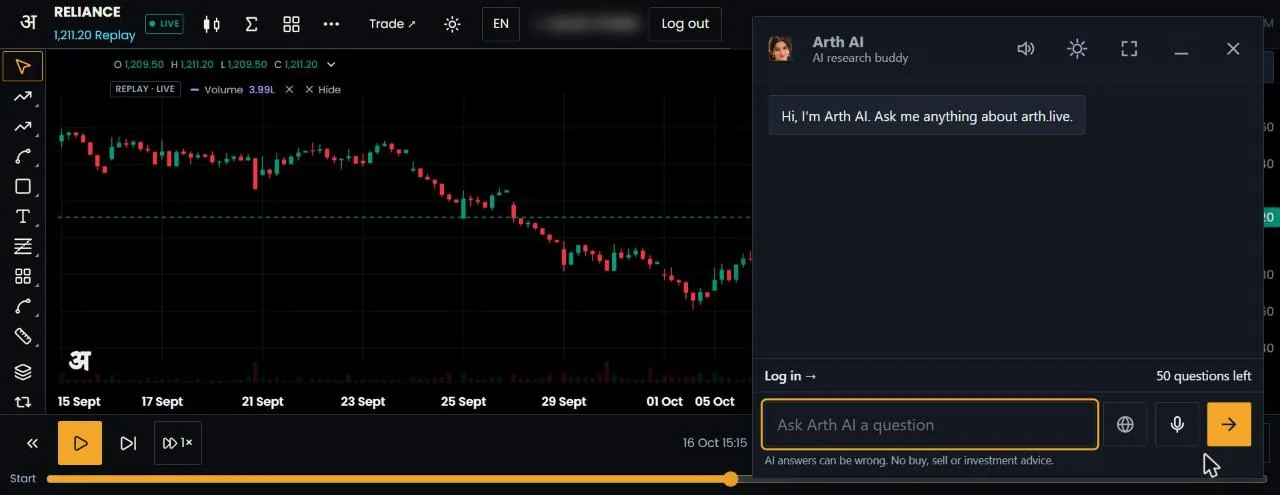
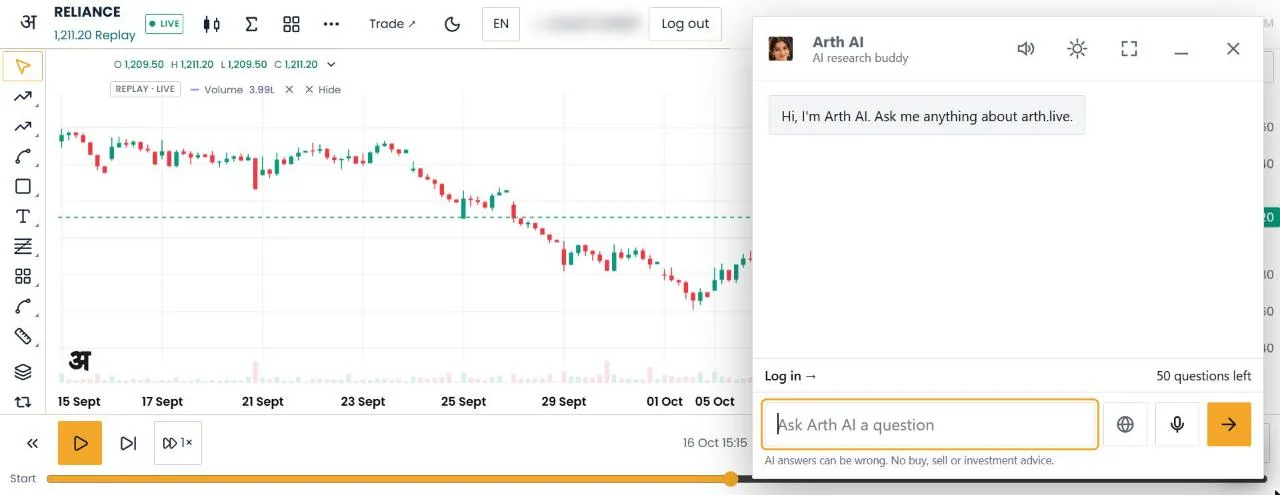
Arth AI sits beside the Arth.live chart. Ask what an indicator measures, how your idea would work as rules, or which formula to write for your own indicator, in your own language, by text or voice. It explains; it places no orders and gives no buy or sell advice.
Last updated 14 November 2026.
01 / How it works
Arth AI is the same AI engine as Quanty in QuantPower, under the Arth name and with no account or order tools. On Arth.live it is a research companion for the chart.
On the chart, open the More menu and choose Arth AI. The panel opens beside the chart you are looking at.
Four tasks sit at the top: Build an indicator, Build a strategy, Analyse this chart and Backtest an idea. The task tells Arth AI what kind of answer you want.
Write it the way you would say it, in your own language, or tap the microphone and speak. The question carries a short description of the chart on screen, such as the symbol, the time frame and the indicators you have added, so you do not have to repeat them.
The answer appears in the panel, marked as AI. If you spoke your question, it is read aloud; one button turns spoken replies off.
Build your idea with Arth AI, then log in and backtest it. Or prepare a research brief and take it to the AI app you already use.
02 / What you can ask
Each example is a question a trader might ask, and what Arth AI does with it.
“What does the Supertrend line show, and what do its period and factor change?” Arth AI explains the calculation in plain words and what each setting does to the line.
“I want to mark when the close crosses above the 20 EMA while RSI is above 55.” Arth AI writes the idea out as clear rules, so you can see each condition before you use it.
For My indicators, Arth AI says which formula lines to type into the editor, for example the gap between a 9 and a 21 moving average as a percent of price. You paste or type them, tap Check and Apply.
“What is a bullish engulfing candle?” Arth AI explains the shape and what it describes about past candles. A pattern is a description, not a signal to trade.
Ask about popular open strategies, such as a moving-average crossover or a breakout of the opening range. Arth AI shows the rules in full, as a popular open template, not as advice, so you can test your own version.
Questions about the product itself, such as what is free or where live prices come from, answered from Arth.live’s product facts and help pages.
03 / Build, then test
Most trading ideas start as a feeling about a chart. Arth AI helps you turn yours into rules you can read, check and test.
Describe the idea the way you would tell a friend: what has to happen on the chart, and when the idea ends.
Arth AI writes the idea out as conditions, one by one. If a rule is not what you meant, say what to change.
Build your idea with Arth AI, then log in and backtest it. A backtest shows how the rules would have behaved on past candles; it is not a forecast, and past results do not say what happens next.
04 / Your language
Arth AI answers in English, Hindi, Bengali, Marathi, Telugu, Tamil, Gujarati, Urdu, Kannada, Odia, Malayalam, Punjabi, Assamese, Maithili, Konkani and Nepali, and also in Spanish, Portuguese, French, German, Arabic, Indonesian, Vietnamese, Japanese and Chinese.
The microphone uses your own browser’s speech. A spoken question gets a spoken answer, and a button mutes it when you would rather read.
The language button in the Arth.live header translates the page into English and several Indian languages, so the chart and the answers can be in the same language.
05 / Research only
Asked which strategy will make money, Arth AI says plainly that Arth.live is software and does not provide advisory services, and offers to help you build and test your own rules instead.
Arth AI is software, not a SEBI-registered research analyst or adviser. It gives no tips, calls, targets or picks, and never says a strategy is the best one or will make money. An answer that reads as buy or sell advice is replaced before you see it.
Arth AI has no order tools. It cannot place, change or cancel an order, and it cannot read your funds, positions or orders. Trading happens in QuantPower, where your broker is connected, and every order there is yours to confirm.
Arth AI does not predict where a price will go. When you ask about the chart, it explains what the indicators and patterns on it describe about past candles.
06 / Limits
A question can be up to 500 characters, including the short chart description that goes with it. Ask one thing at a time for the clearest answer.
Up to 6 questions a minute and 10 a day for each visitor, with a shared daily cap for everyone. On an Arth.live chart shown on another website through the free Charts Library, that site gets 50 questions a day in all.
On Arth.live, Arth AI answers from fixed product facts and the help pages. It has no account, price or broker tools there, even when you are logged in.
Arth AI does not draw or save an indicator by itself on Arth.live. It tells you which formula to write; you add it in My indicators, where the chart checks it and draws it.
07 / Your own AI
In the Arth AI panel, Prepare research brief writes your question together with the chart on screen as a short brief, ready to copy into the AI app you already use.
Arth MCP connects your own AI app to Arth.live, so you can keep working in the app you know. It is research only too.
08 / Questions
Yes. Arth AI is part of Arth.live, which is free for everyone. A fair daily limit per chat session keeps it available to all.
25 languages: English, Hindi, Bengali, Marathi, Telugu, Tamil, Gujarati, Urdu, Kannada, Odia, Malayalam, Punjabi, Assamese, Maithili, Konkani, Nepali, Spanish, Portuguese, French, German, Arabic, Indonesian, Vietnamese, Japanese, Chinese. Type or speak in the one you prefer.
Yes. Tap the microphone and speak. Voice uses your own browser’s speech, a spoken question is answered aloud, and one button mutes spoken replies.
Build your idea with Arth AI, then log in and backtest it. A backtest shows how the rules would have behaved on past candles. It is not a forecast.
No. Arth.live is software and does not provide advisory services, so Arth AI cannot recommend a strategy or a trade, or say which one will be profitable. It can help you make your trading systematic and rule-based, show popular open strategies with every rule written out, and help you build your own.
No. Arth AI places no orders and gives no buy or sell advice. To trade, open the chart in QuantPower through the Trade link, where your own broker is connected.
Yes. Prepare a research brief in the Arth AI panel and paste it into your own AI app, or connect that app to Arth.live with Arth MCP.
No. On Arth.live it has no account, broker or price tools. The only chart information it gets is the short description of the chart on screen that goes with your question.
Know the boundaries
Arth AI is software, not a SEBI-registered research analyst or adviser. It gives no buy/sell calls, targets or picks, and places no orders. Live prices come from your own broker connection through the free QuantPower bridge; until then the chart shows demo data. Trading involves risk.
Open the chart Trade from the chart ↗